


Fényképezés
Ismerd meg a fényképezőgéppel kapcsolatos szavakat és a fényképek készítéséhez, ellenőrzéséhez és megosztásához hasznos kifejezéseket.
Preview
Questions with solutions-
1. Válaszd ki a helyes választ.
What do the friends want?
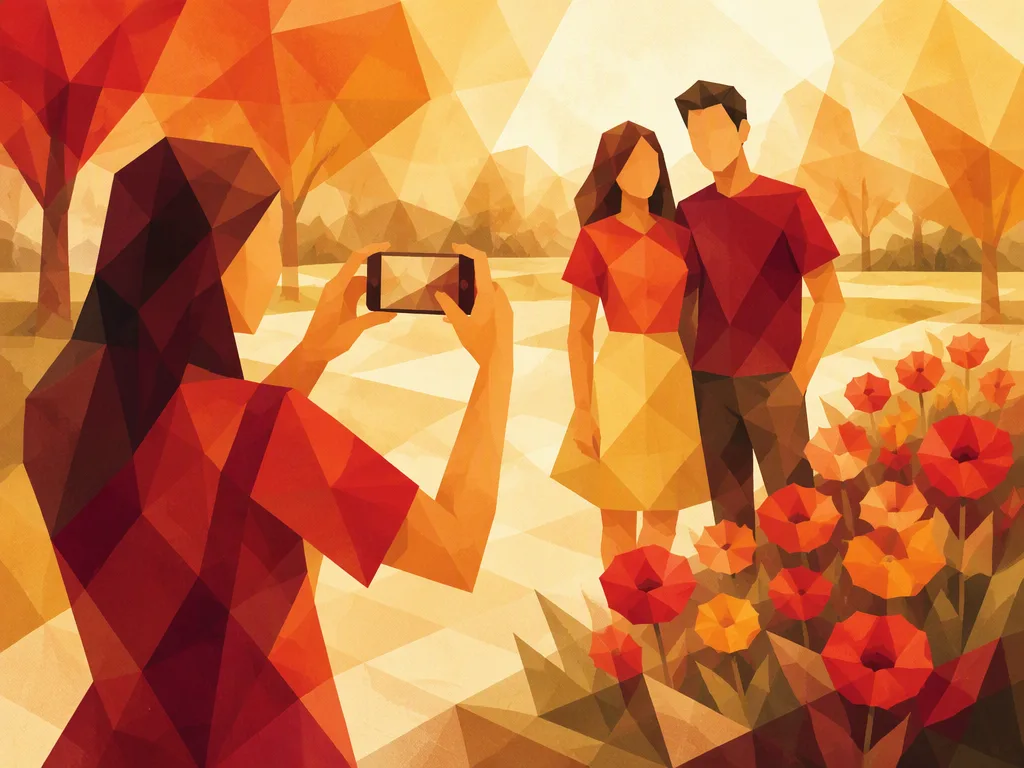
Two friends hand you a phone. “Could you take a photo of us?”
- A picture of you alone.
- A picture of them together.
- A picture of their phone.
Show solution
- A picture of them together.
“Take a photo of us” is a useful way to ask someone to photograph you and the people with you.
-
2. Válaszd ki a helyes választ.
Mit kellene tenned?
“Your finger is covering the camera lens.”
- Move your finger away from the lens.
- Make the phone screen brighter.
- Move the camera closer to your friend.
A kamerának akadálytalanul kell látnia.
Show solution
- Move your finger away from the lens.
Az objektív engedi be a fényt a kamerába. Ha egy ujj kerül elé, az eltakarhatja a képet.
-
3. Válaszd ki a helyes választ.
Milyen típusú fényképet készít Mia?
Mia holds her phone at arm's length and takes a photo of herself.
- A group photo.
- A landscape photo.
- A selfie.
Show solution
- A selfie.
Egy szelfin más emberek is szerepelhetnek, amennyiben a képet készítő személy is rajta van.
-
4. Válaszd ki a helyes választ.
Mit kér a barátod?
“My eyes were closed in that photo. Could we take it again?”
- Another copy of the same photo.
- A new photo.
- A larger version of the same photo.
Show solution
- A new photo.
Ha egy fénykép nem sikerül jól, mondhatod azt, hogy “Let's take another one”.
-
5. Válaszd ki a helyes választ.
Mit szeretne Ben ezután tenni?
Ben has just taken a photo. “Let's check it before we leave.”
- Look at the photo he just took.
- Delete the photo without looking at it.
- Take a photo of a different place.
Show solution
- Look at the photo he just took.
Ha rögtön ellenőrzöd a fényképet, marad időd egy másikat készíteni, ha szükséges.
-
6. Válaszd ki a helyes választ.
Which camera feature provides the light?
The room is dark. You need a quick, bright light from the camera when you take the photo.
- The zoom.
- The timer.
- The flash.
This feature lights up the scene for a moment.
Show solution
- The flash.
A flash gives a short burst of light. It is different from a light that stays on.
-
7. Válaszd ki a helyes választ.
Hogyan érheted el, hogy a macska nagyobbnak látszódjon a képen anélkül, hogy elmozdulnál?
A cat is far away. It looks very small on your camera screen.
- Zoom out.
- Zoom in.
- Turn the camera sideways.
Közelebbi nézetet szeretnél, nem tágabbat.
Show solution
- Zoom in.
Nagyításkor közelebbinek látszik az adott dolog. Kicsinyítéskor több látszik a körülötte lévő területből.
-
8. Válaszd ki a helyes választ.
Melyik funkció ad időt arra, hogy csatlakozz a barátaidhoz?
You put your camera on a table. You want it to wait a few seconds before taking the group photo.
- The timer.
- The flash.
- The zoom.
Ez a funkció szabályozza, hogy a fényképezőgép mikor készíti el a képet.
Show solution
- The timer.
Az időzítő lehetővé teszi, hogy te is rajta legyél a képen anélkül, hogy a fényképezőgépet tartanád.
-
9. Válaszd ki a helyes választ.
Mire kell koppintanod, hogy a kamera a barátod arcára fókuszáljon?
Your friend is standing near some flowers. On your phone screen, the flowers look clear, but your friend's face does not.
- The flowers on the screen.
- The sky on the screen.
- Your friend's face on the screen.
Koppints arra a részre, amelyet élesen szeretnél látni.
Show solution
- Your friend's face on the screen.
Sok telefonon a kép egy részére koppintva jelzed a kamerának, hogy hová fókuszáljon.
-
10. Válaszd ki a helyes választ.
What should you do to keep the camera from moving?
Your hand shakes as you take the photo, and the whole picture looks blurry.
- Move the phone closer to your friend.
- Hold the phone still.
- Turn the phone sideways.
The problem is movement, not distance.
Show solution
- Hold the phone still.
Holding your phone with both hands can help keep it steady.
-
11. Válaszd ki a helyes választ.
What can you do to get everyone in the picture?
You are taking a group photo. The friends at each end don't fit in the picture. There is plenty of space behind you.
- Step back.
- Step closer.
- Ask everyone to spread out.
Think about what happens when you move farther from the group.
Show solution
- Step back.
Moving back lets the camera show more of the scene, so a wider group can fit.
-
12. Válaszd ki a helyes választ.
A fénykép melyik részét szeretné megváltoztatni a barátod?
“There is a trash can behind you. Let's find a nicer background.”
- The clothes you are wearing.
- The way you hold the camera.
- The things behind you.
Nézd meg, hol van a szemetes.
Show solution
- The things behind you.
Az egyszerű háttér segíthet abban, hogy az emberek észrevegyék a fényképen szereplő személyt.
-
13. Válaszd ki a helyes választ.
What can you do to make space for new photos?
Your phone says “Storage full” and cannot save another photo. You have many old, blurry photos that you do not want.
- Make copies of the old photos.
- Delete the old photos you do not need.
- Put the old photos in a new album.
The phone needs fewer saved files, not a different album.
Show solution
- Delete the old photos you do not need.
An album helps organize photos, but it does not remove them from your phone.
-
14. Válaszd ki a helyes választ.
What does your friend want you to do?
“Please send the photo to me, but don't post it online.”
- Send the photo to your friend in a private message.
- Post the photo on a public page.
- Post the photo on a page that all your classmates can see.
Your friend wants you to send the photo privately, not post it for others to see.
Show solution
- Send the photo to your friend in a private message.
You can send a photo directly to one person without posting it online.
-
15. Válaszd ki a helyes választ.
What can you do to get direct sunlight on your friend's face?
Your friend is facing away from the sun. Their face looks dark in your photo.
- Ask your friend to move farther away from you.
- Ask your friend to stay facing away from the sun.
- Ask your friend to turn toward the sun.
Think about which side of your friend the sunlight reaches.
Show solution
- Ask your friend to turn toward the sun.
Light from behind can leave a face in shadow. Light from the front helps show the face.